If you handle event sign-ups for your practice, group registration is built with you in mind.
Any contact designated as a manager or administrative contact for an organization can register team members through the GVMA portal.
Here’s how to get your group set up and your staff registered in just a few steps:
Start your registration. When you begin any event registration, our system will prompt you to log in.
Land on the Group Registration page. After logging in, you’ll be taken here automatically.
You’ll likely see a message that says, “You are not a manager of any registration groups. Create a new registration group to begin.” Click that.
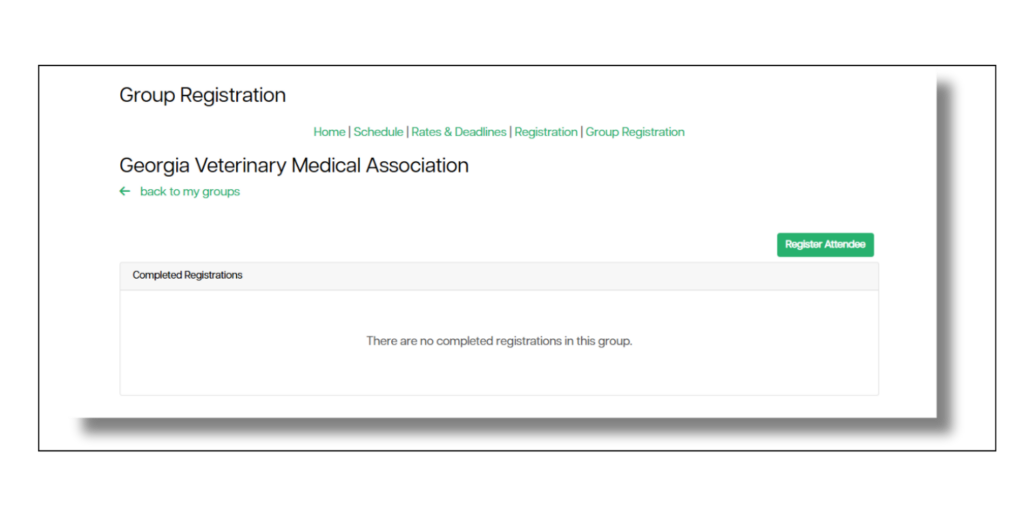
Create your new registration group, then name it. Choose a name that makes sense for your records (e.g., your clinic name or “Fall CE 2026”).
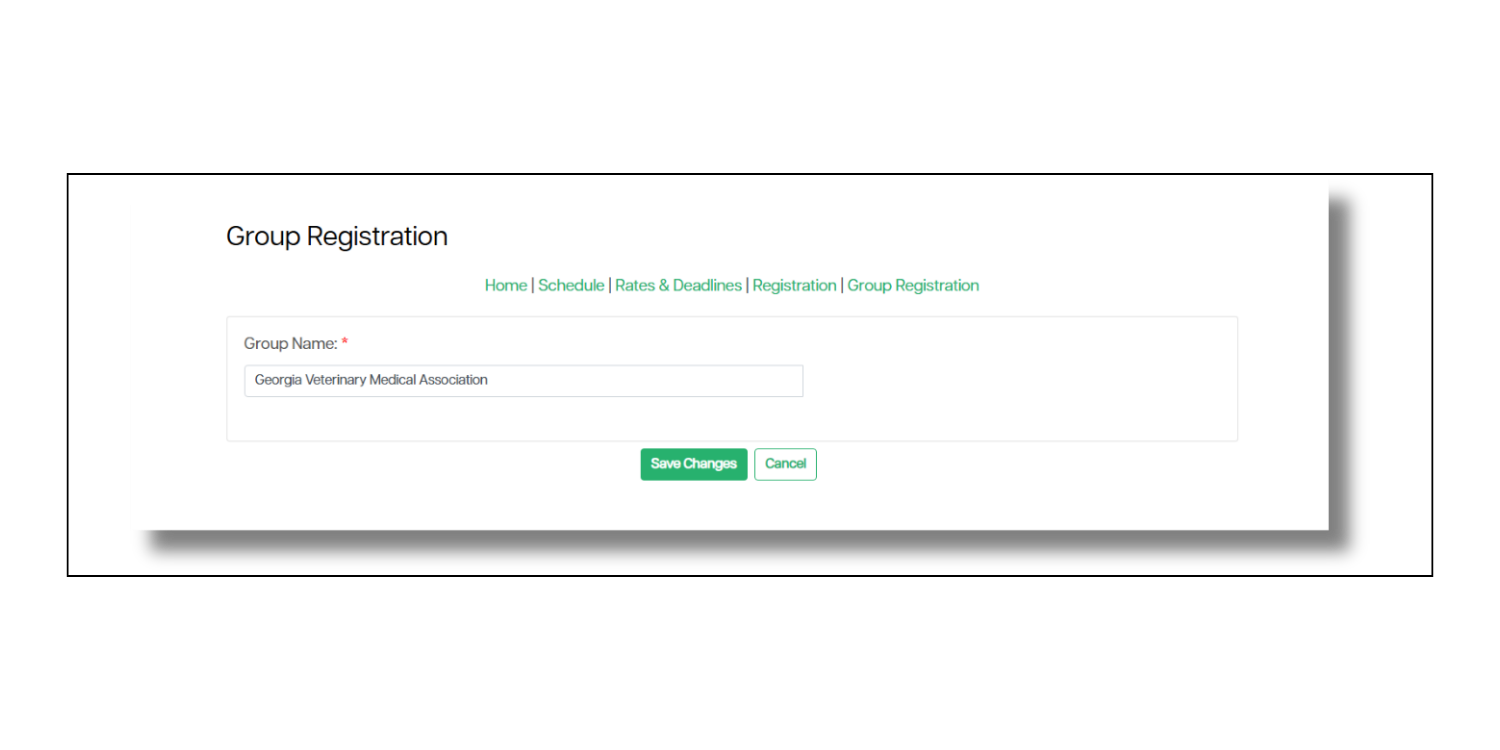
Save your changes.
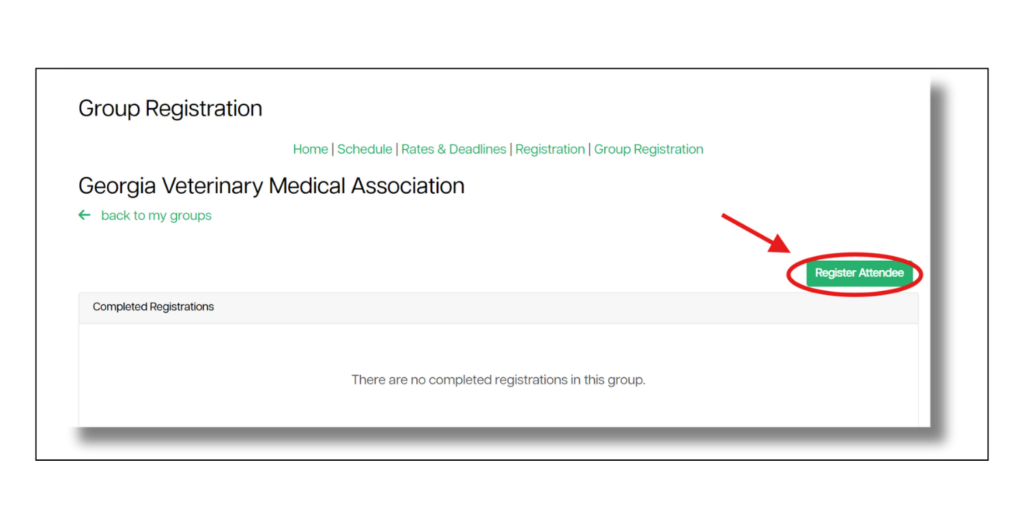
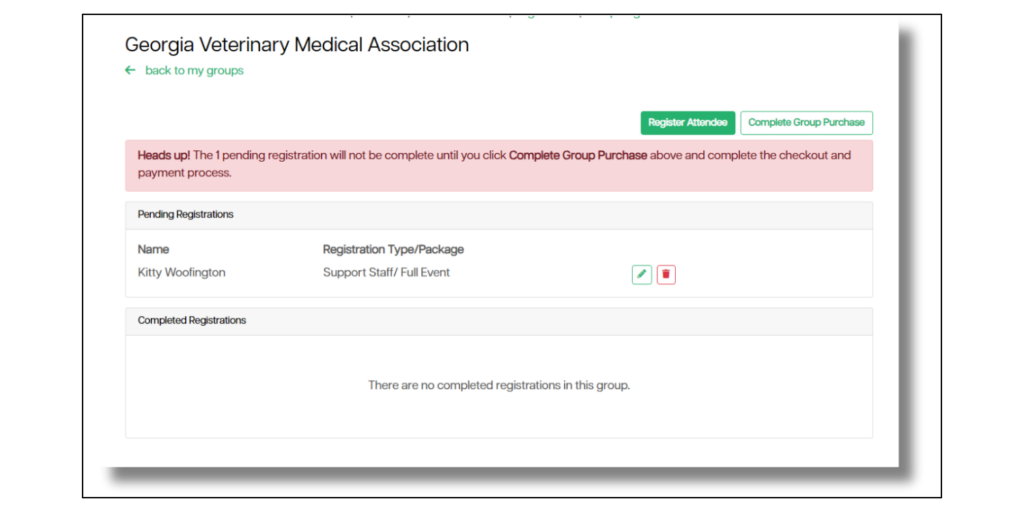
Select “Register an Attendee” to begin the registration process.
Use the drop-down menu to select who you’d like to register.
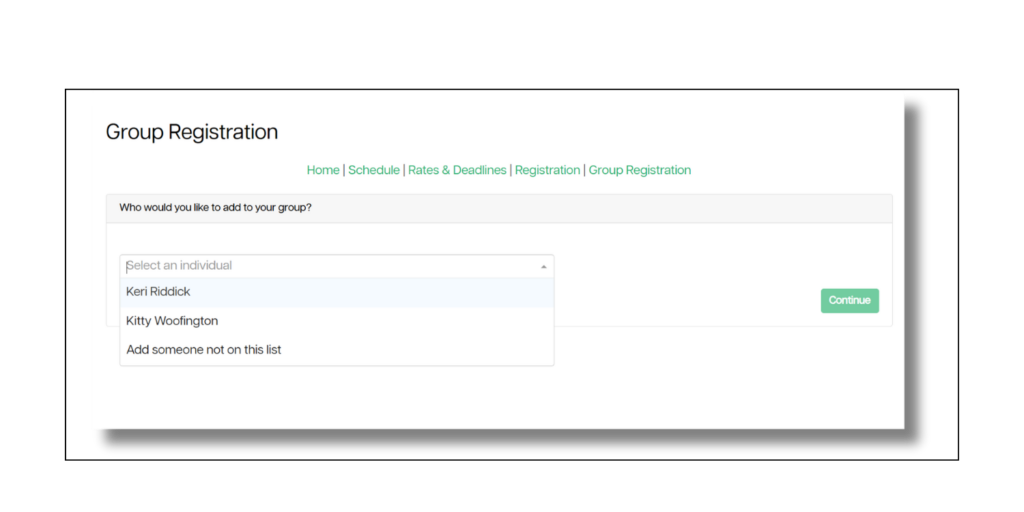
Register each staff member. Repeat as needed.
Be sure to complete the entire process by selecting “Complete Group Purchase” when all staff members have been registered.
Questions? Contact us.
Was this article helpful?
That’s Great!
Thank you for your feedback
Sorry! We couldn't be helpful
Thank you for your feedback
Feedback sent
We appreciate your effort and will try to fix the article